---
title: Share and publish data
url: https://docs.triply.cc/how-to/share-and-publish/
description: 'Publish a dataset from TriplyDB: set its access level, add the metadata people and search
engines see, and make it discoverable.'
---
# Share and publish data
Sharing a dataset is a matter of two settings: who may see it, and what it says about itself. Both
are on the dataset's settings page, which **Settings** in the dataset's left-hand sidebar opens.
Changes on that page are kept with **Save** in the top-right corner.
The same page also holds [webhooks](https://docs.triply.cc/how-to/set-up-a-webhook/), transferring ownership, and
[deleting the dataset](https://docs.triply.cc/how-to/delete-a-dataset/).
## Make a dataset public
1. Open the dataset's **Settings**.
2. In the **Access & metadata** section, set **Access control** to **Public**.
3. Click **Save**.
A public dataset:
1. can be found and visited by anybody on the web;
2. is indexed by web search engines such as Google Dataset Search;
3. makes every service started for it available to anybody on the web, including SPARQL, text
search and Linked Data Fragments.
Point 3 is the one to think about: publishing the dataset publishes its query services with it.
SPARQL, text search and GraphQL each need a service; see [Manage services](https://docs.triply.cc/how-to/manage-services/) for
starting one.
If the dataset belongs to a user, publishing it also makes that user's account visible to people
who are not logged in.
**Internal** is the step between: visible to everyone signed in to the instance, and to no one
else. See [Access control](https://docs.triply.cc/concepts/access-levels/#access-levels) for the full set of access
levels.
If **Public** is greyed out, the dataset's group is not public, or an administrator has set the
instance's maximum access level lower; see
[Access control](https://docs.triply.cc/concepts/access-levels/#two-rules-that-constrain-access-levels).
## Add metadata
Metadata makes a dataset easier to find, and lets search engines and social media applications
understand it. It is spread over two sections of the settings page:
- **General** — the avatar, the **Name**, the **URL** and a **Description**, which may use
[Markdown](https://docs.triply.cc/reference/markdown/). Changing the URL breaks existing links to the dataset's
pages and API addresses.
- **Access & metadata** — the **License**, **Tags** and **Example resources**, beside the access
level.
Fill them in and click **Save**.
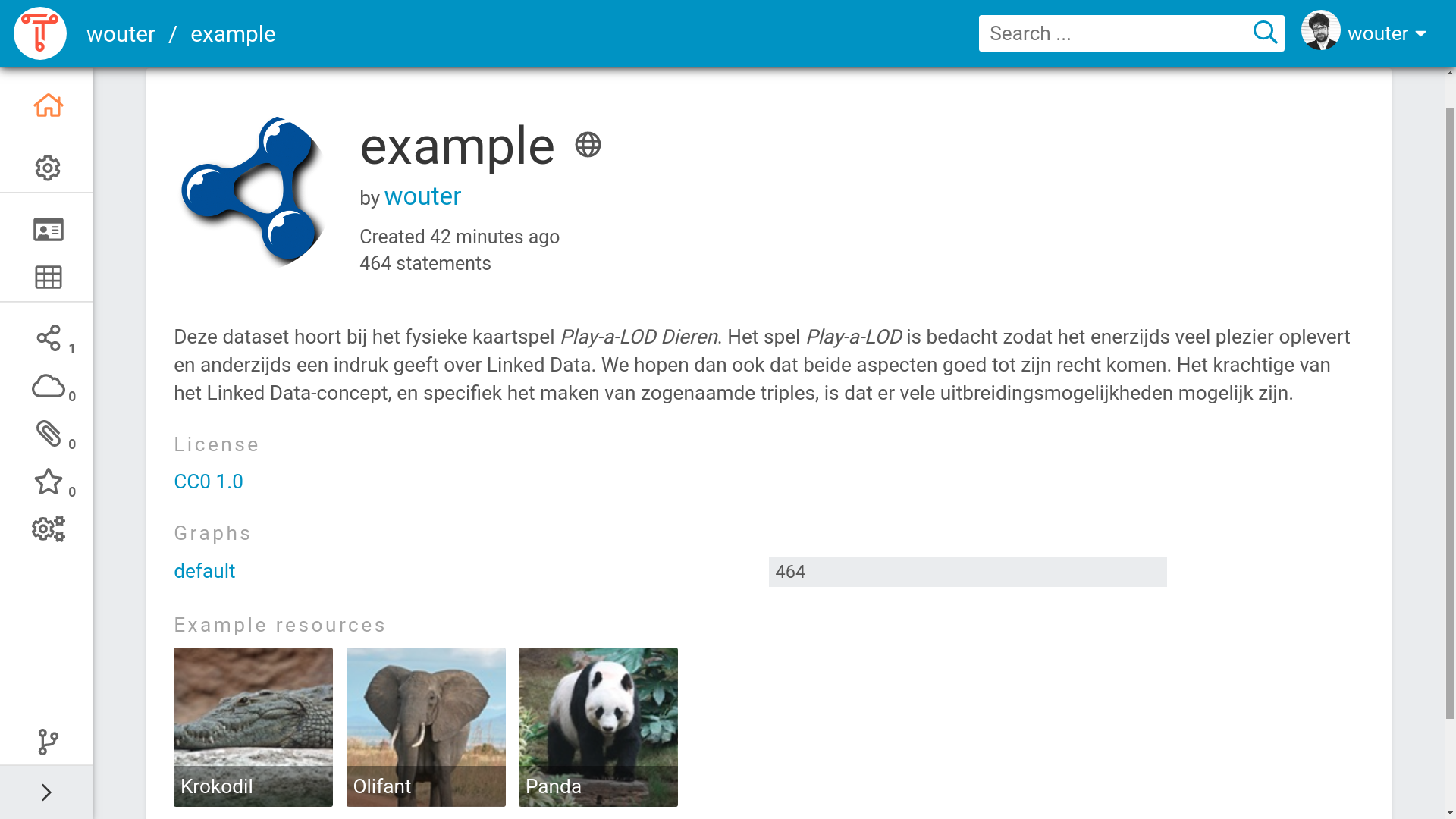
Within the TriplyDB instance the dataset becomes easier to find. Whenever a user searches on one of the topics of your dataset, or types in a word that is present in the description of your dataset, the dataset will be shown as a search result. The metadata also lets TriplyDB give a better impression of your dataset when a user visits. [Figure 1](#fig-dataset-homepage-with-metadata) shows the dataset homepage of a dataset for which metadata has been configured.
Figure 1. The dataset homepage of a dataset with configured metadata.
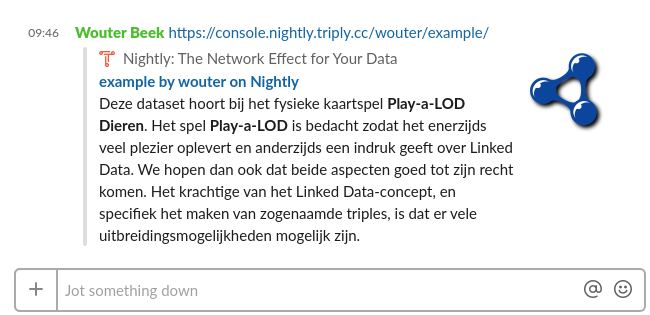
Search engines and social media applications can recognize the metadata that is entered for datasets in TriplyDB. [Figure 2](#fig-slack-widget) shows an example of a Social Media widget in the Slack chat application. Such widgets are automatically generated upon entering the link to a public dataset in TriplyDB. The chat application in [Figure 2](#fig-slack-widget) understands the metadata properties: title, description, and image. Different Social Media applications may make use of different metadata properties.
Figure 2. A dataset widget in the Slack chat application.
## Related
- [Add data](https://docs.triply.cc/how-to/add-data/) — getting data in before you publish it
- [Manage services](https://docs.triply.cc/how-to/manage-services/) — the query services that publishing exposes
- [Access control](https://docs.triply.cc/concepts/access-levels/) — who can see what, and what they may do