Manage services
A service runs a dedicated engine over a copy of a dataset: a Virtuoso or Jena SPARQL endpoint, or an Elasticsearch text index. SPARQL needs none, because Speedy, TriplyDB's built-in engine, queries every dataset without setup. See Service for when a service is worth creating, and why one can fall behind its data.
This guide covers creating and maintaining services for a dataset, and managing every service on the instance as an administrator. It needs permission to manage the dataset's services; without it, the Services page does not appear until the dataset has a service.
Create a service
- Open the dataset and click Services, under Ecosystem in the left-hand sidebar. The page lists Speedy first, then the services the dataset already has.
- Click Create new service. The button is disabled until the dataset holds at least one graph.
- Enter a Name for the service.
-
Choose a Service type. An instance offers the types it is configured for:
Type What it gives the dataset SPARQL – Virtuoso A SPARQL endpoint run by Virtuoso SPARQL – Jena A SPARQL endpoint run by Apache Jena, optionally with reasoning Elasticsearch A text index, searched from Elasticsearch in the sidebar -
For a Jena service, choose a Reasoner: None, RDFS or OWL.
- Click Create service.
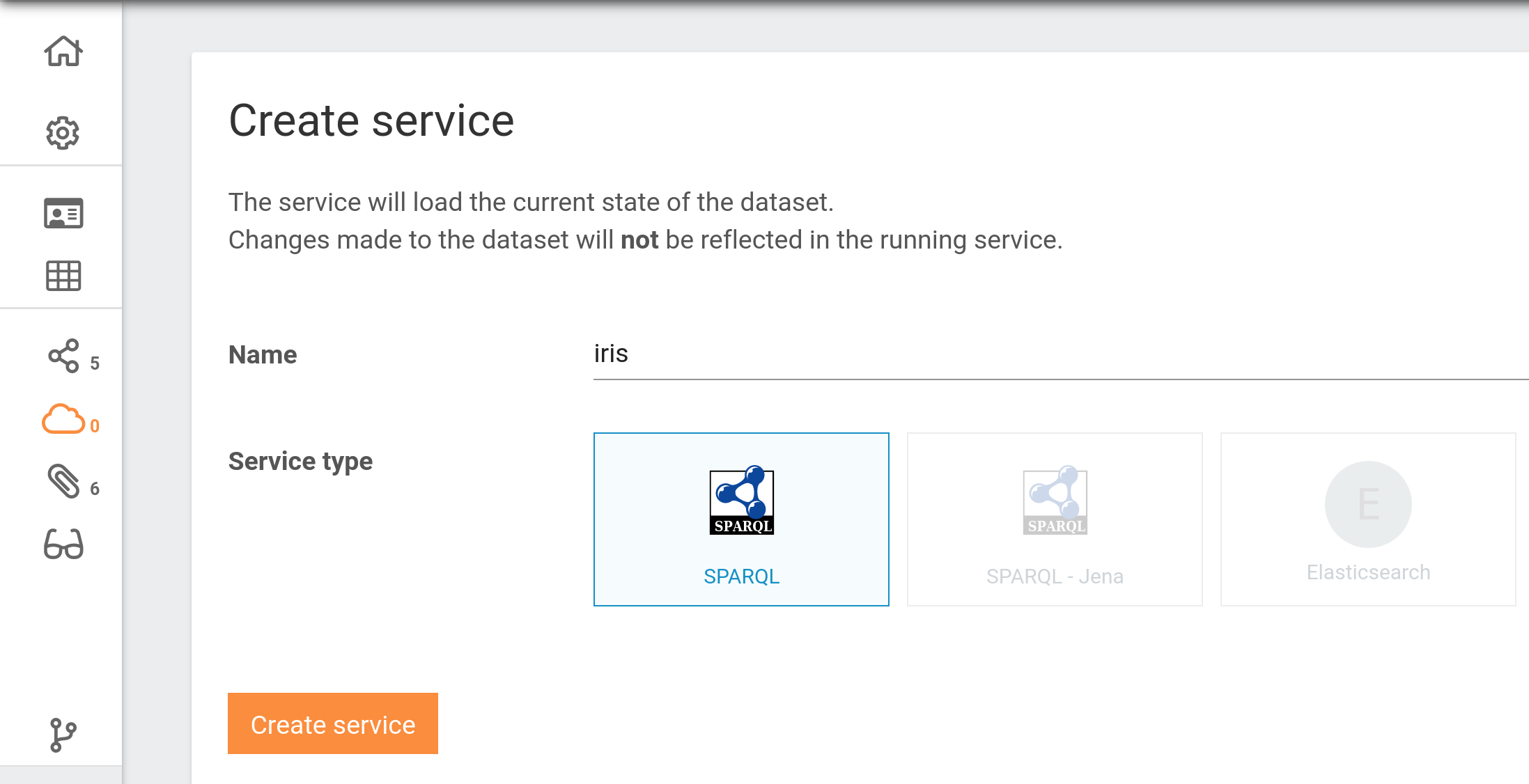
Instance administrators also see a Memory limit field, which takes a size in bytes or in mb/gb
notation; left blank, the limit is set automatically.
Keep a service in step with its data
Each service on the Services page has its own card, showing its type, status, protocols and the number of statements loaded.
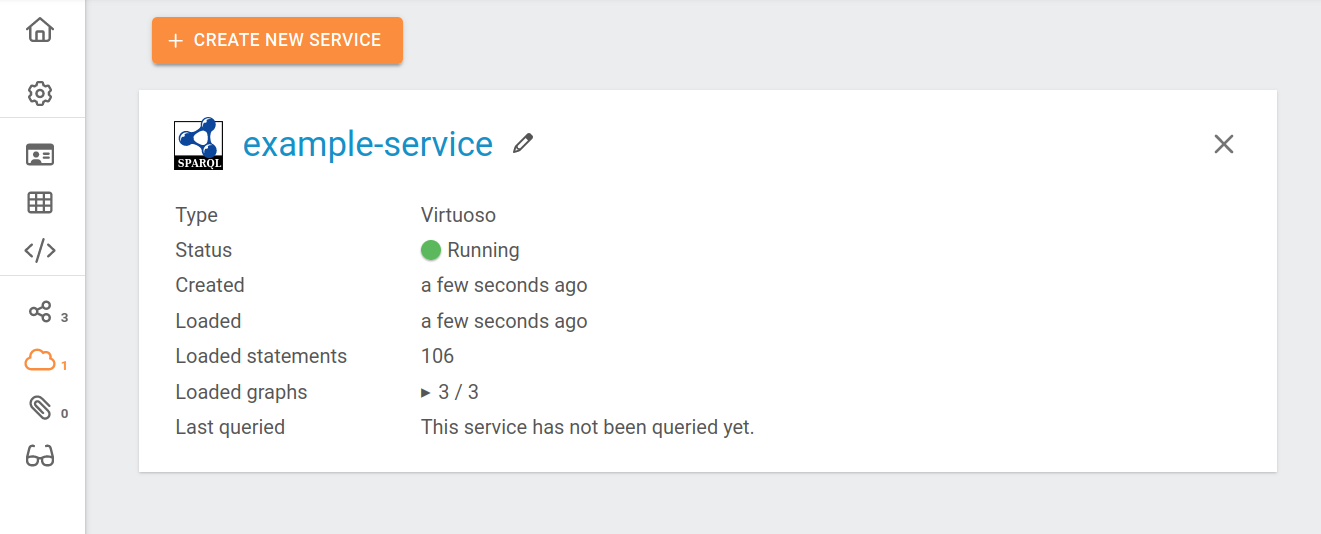
- To synchronise a service after its dataset changed, follow the link ending in "Click here to update." that appears on its card. The service has to be running before it can be updated.
- To start or stop a service, click Start or Stop on its card.
- To rename a service, use Edit service name on its card.
- To remove a service, use Remove service on its card, and confirm.
A query on a service that returns nothing, or old results, usually means a service that has stopped or has not been synchronised; see Why a service falls out of step.
Set up Elasticsearch index templates
An Elasticsearch service answers two kinds of search. A simple search takes a single term and builds a fuzzy query from it; a custom search accepts a JSON body in the Elasticsearch query DSL. The Search endpoints in the API reference describe both.
By default the service indexes every literal with Elasticsearch's own defaults. Index templates and component templates let you say more than that — for example that a property holds a date, so that it can be sorted or used in a range query.
Templates are passed in config when the service is created through the API, and are read only then: changing one means creating the service again. Three constraints are specific to TriplyDB:
- The service builds a single index named
index, so every index template must have"index_patterns": "index". A template matching anything else is silently unused. - A component template only takes effect once an index template names it in
composed_of, so the two are always created together. - A property's field name is its IRI with every
.replaced by a space, because Elasticsearch reads a dot in a field name as a path separator. Write mappings that way, and expect hits that way.
The example below maps https://schema.org/dateCreated to a date:
curl -H "Authorization: Bearer TRIPLYDB_TOKEN" -H "Content-Type: application/json" \
  -X POST "https://api.INSTANCE/datasets/ACCOUNT/DATASET/services" \
  -d '{
    "type": "elasticSearch",
    "name": "SERVICE_NAME",
    "config": {
      "indexTemplates": [
        { "name": "my-template", "index_patterns": "index", "composed_of": ["dates"] }
      ],
      "componentTemplates": [
        { "name": "dates",
          "template": { "mappings": { "properties": { "https://schema org/dateCreated": { "type": "date" } } } } }
      ]
    }
  }'
The equivalent in TriplyDB.js is Dataset.addService.
Manage every service on the instance
Administrators can update, synchronise or remove any service on the instance, one at a time or in bulk, from the Services page of the admin settings. See Services page for its columns and actions.
Related
- Publish data — publishing a dataset publishes its services
- Query data — the SPARQL IDE and text search that services enable
- SPARQL: the basics — what a SPARQL service is for