Share and publish data
Sharing a dataset is a matter of two settings: who may see it, and what it says about itself. Both are on the dataset's settings page, which Settings in the dataset's left-hand sidebar opens. Changes on that page are kept with Save in the top-right corner.
The same page also holds webhooks, transferring ownership, and deleting the dataset.
Make a dataset public
- Open the dataset's Settings.
- In the Access & metadata section, set Access control to Public.
- Click Save.
A public dataset:
- can be found and visited by anybody on the web;
- is indexed by web search engines such as Google Dataset Search;
- makes every service started for it available to anybody on the web, including SPARQL, text search and Linked Data Fragments.
Point 3 is the one to think about: publishing the dataset publishes its query services with it. SPARQL, text search and GraphQL each need a service; see Manage services for starting one.
If the dataset belongs to a user, publishing it also makes that user's account visible to people who are not logged in.
Internal is the step between: visible to everyone signed in to the instance, and to no one else. See Access control for the full set of access levels.
If Public is greyed out, the dataset's group is not public, or an administrator has set the instance's maximum access level lower; see Access control.
Add metadata
Metadata makes a dataset easier to find, and lets search engines and social media applications understand it. It is spread over two sections of the settings page:
- General — the avatar, the Name, the URL and a Description, which may use Markdown. Changing the URL breaks existing links to the dataset's pages and API addresses.
- Access & metadata — the License, Tags and Example resources, beside the access level.
Fill them in and click Save.
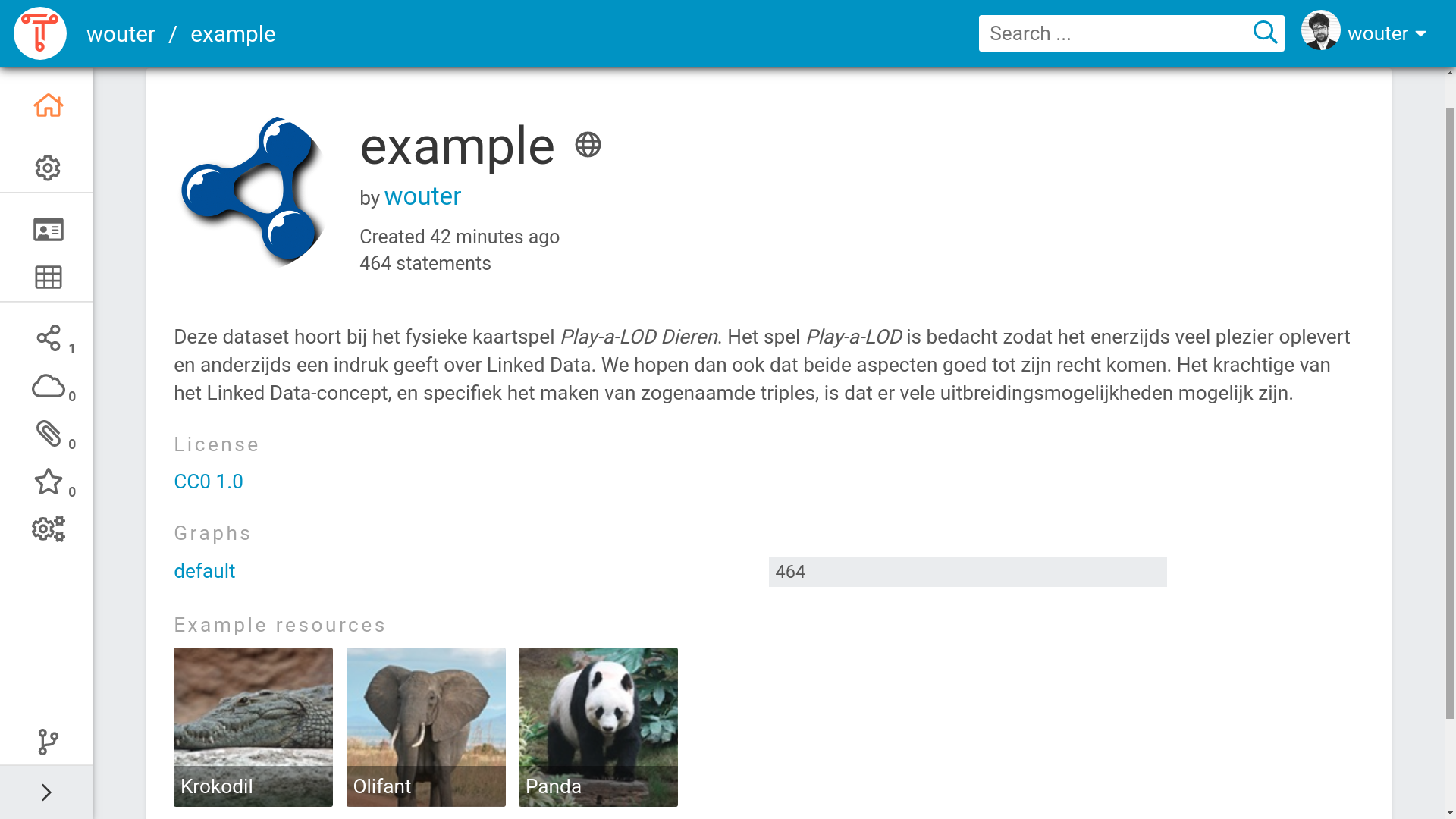
Within the TriplyDB instance the dataset becomes easier to find. Whenever a user searches on one of the topics of your dataset, or types in a word that is present in the description of your dataset, the dataset will be shown as a search result. The metadata also lets TriplyDB give a better impression of your dataset when a user visits. Figure 1 shows the dataset homepage of a dataset for which metadata has been configured.
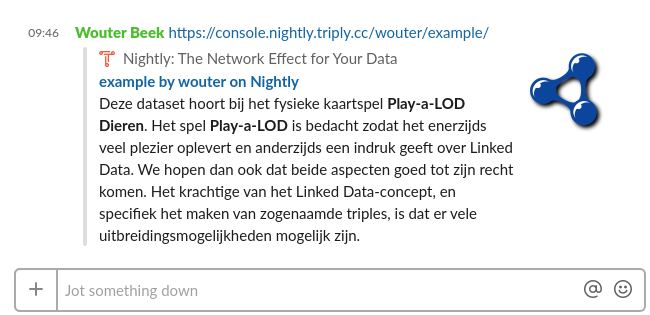
Search engines and social media applications can recognize the metadata that is entered for datasets in TriplyDB. Figure 2 shows an example of a Social Media widget in the Slack chat application. Such widgets are automatically generated upon entering the link to a public dataset in TriplyDB. The chat application in Figure 2 understands the metadata properties: title, description, and image. Different Social Media applications may make use of different metadata properties.
Related
- Add data — getting data in before you publish it
- Manage services — the query services that publishing exposes
- Access control — who can see what, and what they may do