On this page:
Set up a webhook
A webhook makes TriplyDB send a message to a URL whenever something changes in a dataset: to be notified, or to set something else off, such as a pipeline.
- Open the dataset's Settings from its left-hand sidebar, then the Webhooks section.
-
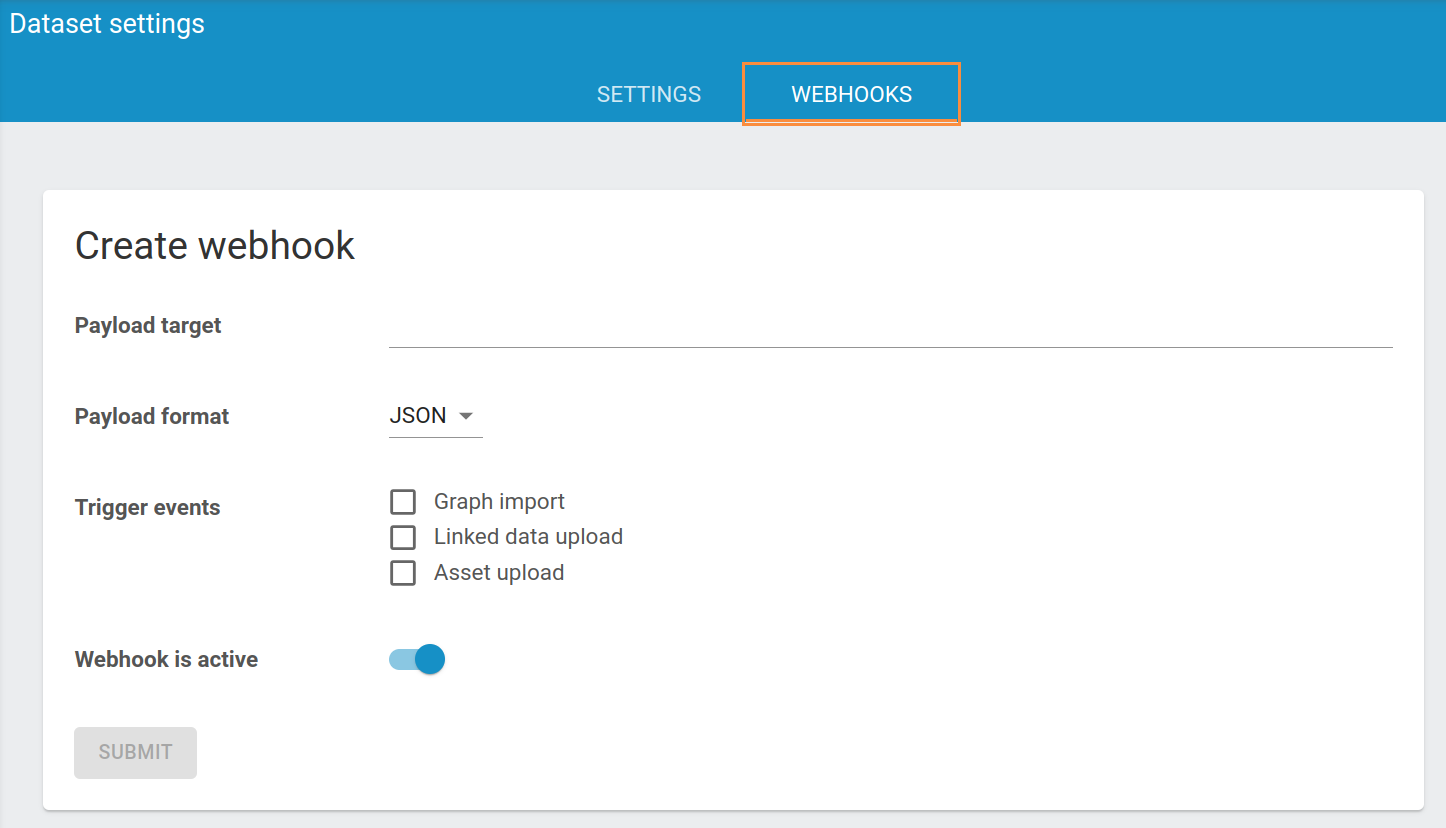
Click Add webhook. The dialog below appears.
-
Fill in the Payload target: the URL the message is sent to.
- Choose the Payload format: JSON or Form-Encoded.
- Under Trigger events, select the events that send a message:
- Graph import — data is imported from another dataset on the same instance.
- Linked data upload — someone uploads data that was not on the instance before.
- Asset upload — an asset is uploaded.
- Click Add.
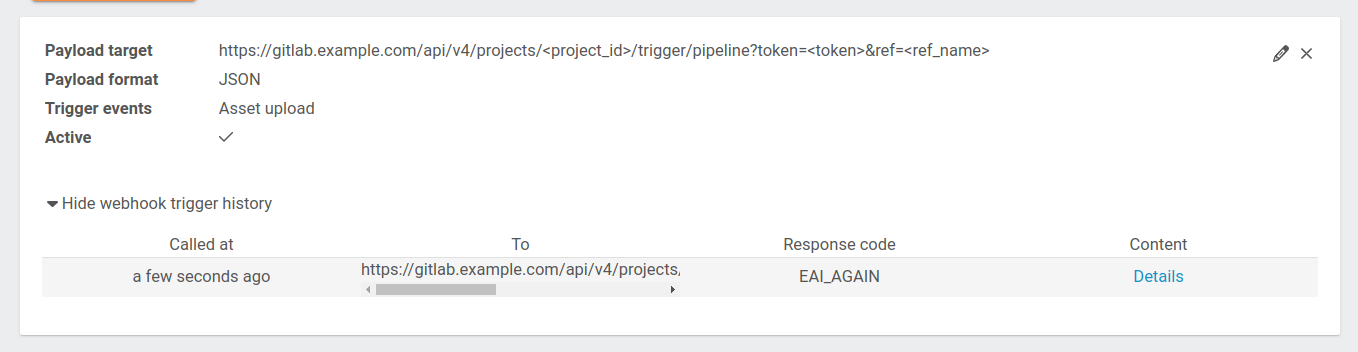
The webhook is switched on as soon as it is added, and listed in the Webhooks section with a toggle that switches it off and on, a pencil to change its settings and a bin to remove it. None of these need the page's Save button.
Example: trigger a GitLab pipeline
To run a GitLab pipeline every time an asset is uploaded to the dataset, use a pipeline trigger URL as the payload target and select Asset upload as the trigger event:
https://gitlab.example.com/api/v4/projects/<project_id>/trigger/pipeline?token=<token>&ref=<ref_name>Related
- Create an API token — for the other direction: an outside system calling TriplyDB
- Share and publish data — the rest of the dataset's settings page